How to Customize Helmet Parts
Add Helmet Parts
Update Helmet Parts
Configure Helmet Parts
Add Helmet Parts
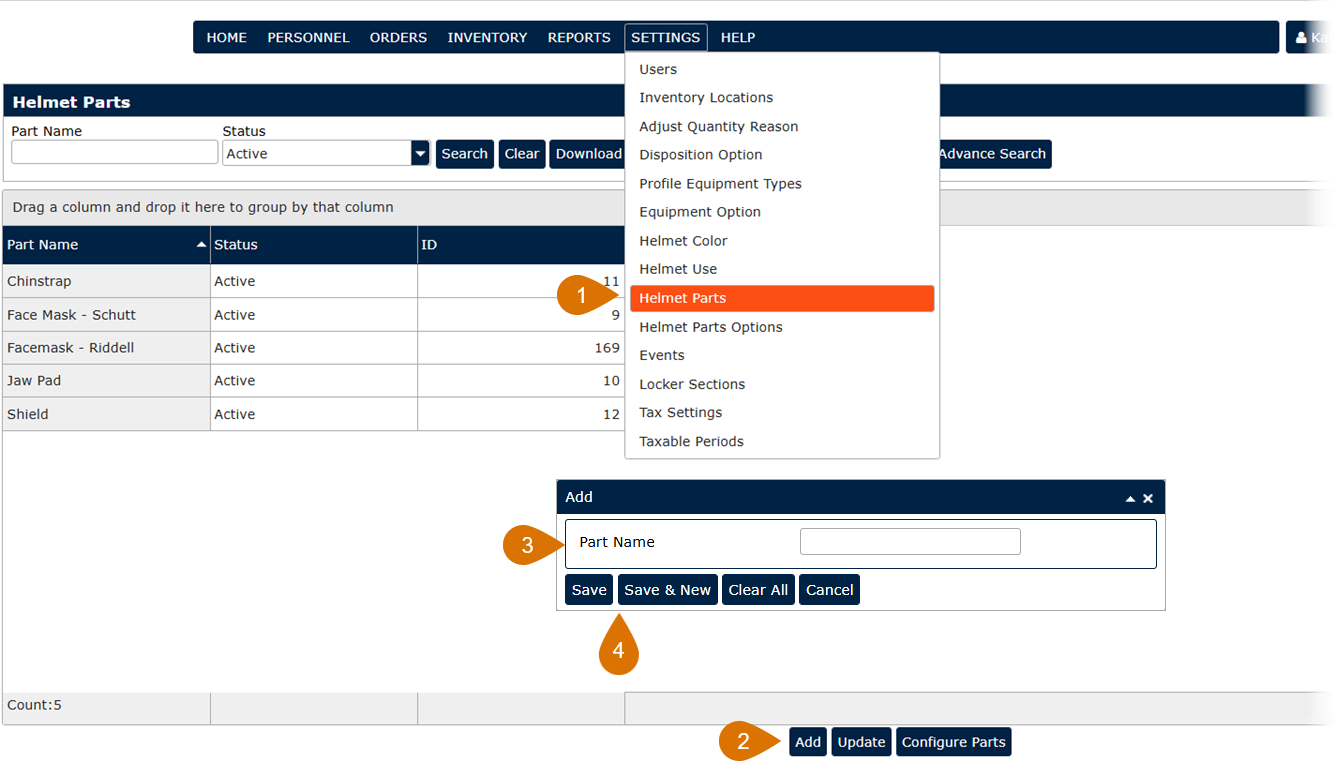
- Go to Settings and choose Helmet Parts.
- Click the Add button.
- Enter a Part Name.
- Click Save or Save & New to add additional Helmet Parts at this time.
Update Helmet Parts
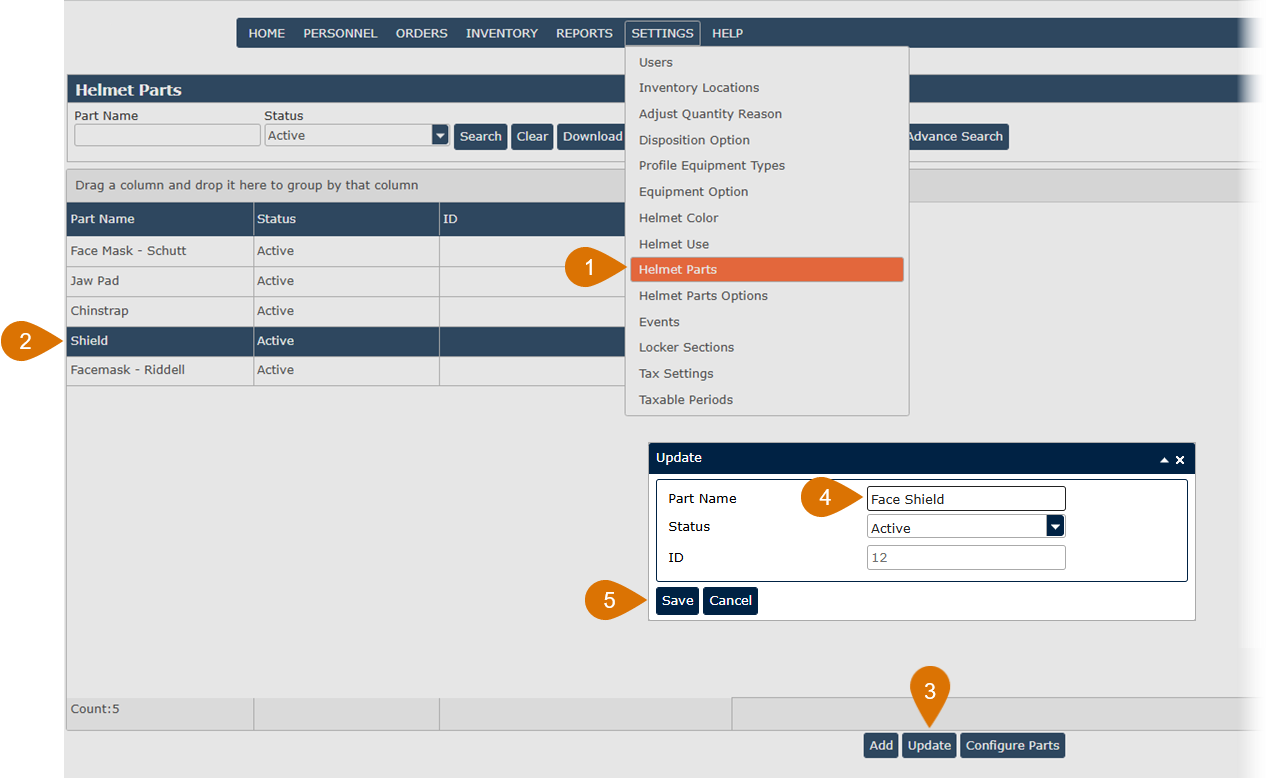
- Go to Settings and choose Helmet Parts.
- Highlight a helmet part record from the grid.
- Click the Update button or double-click on a helmet part record.
- Update the Part Name.
- Click Save to update the Helmet Part in the system.
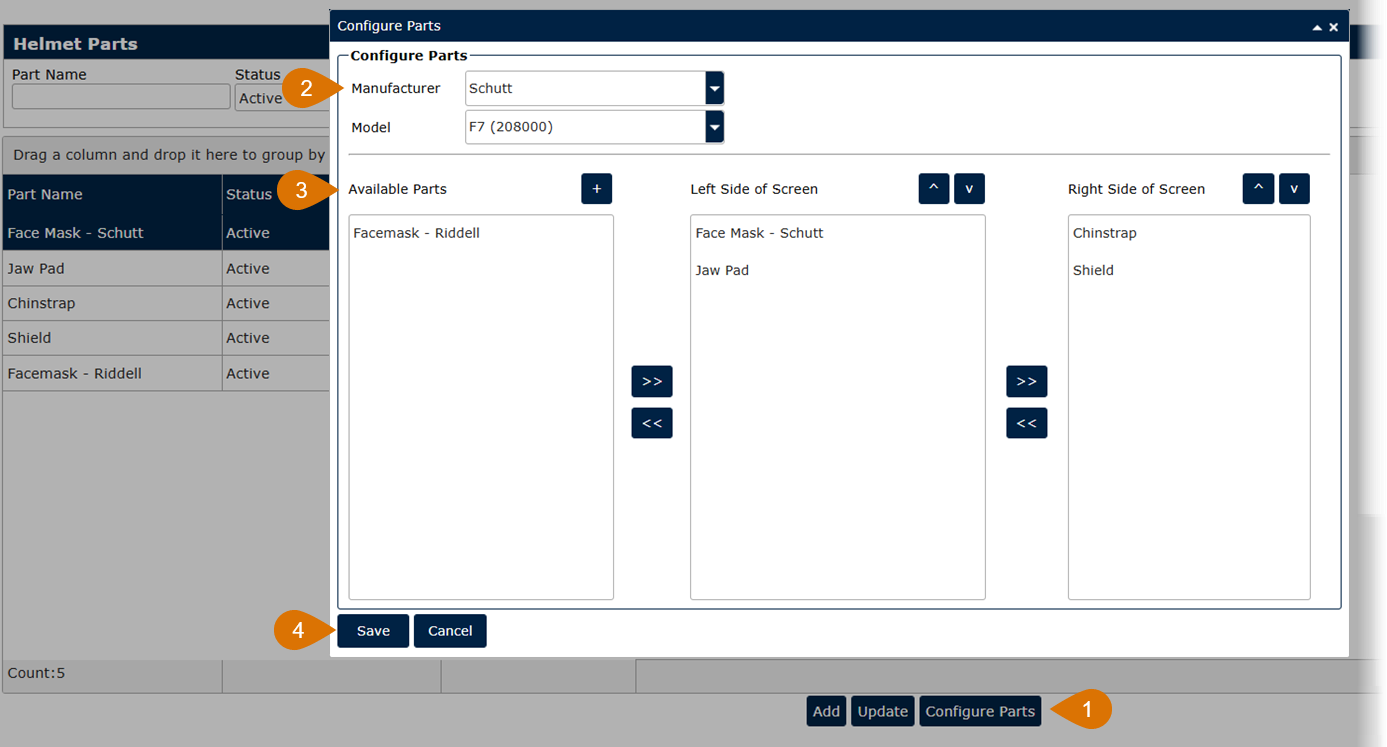
- From the Helmet Parts screen, click on the Configure Parts button.
- Choose a Manufacturer and Model from the drop-down lists.
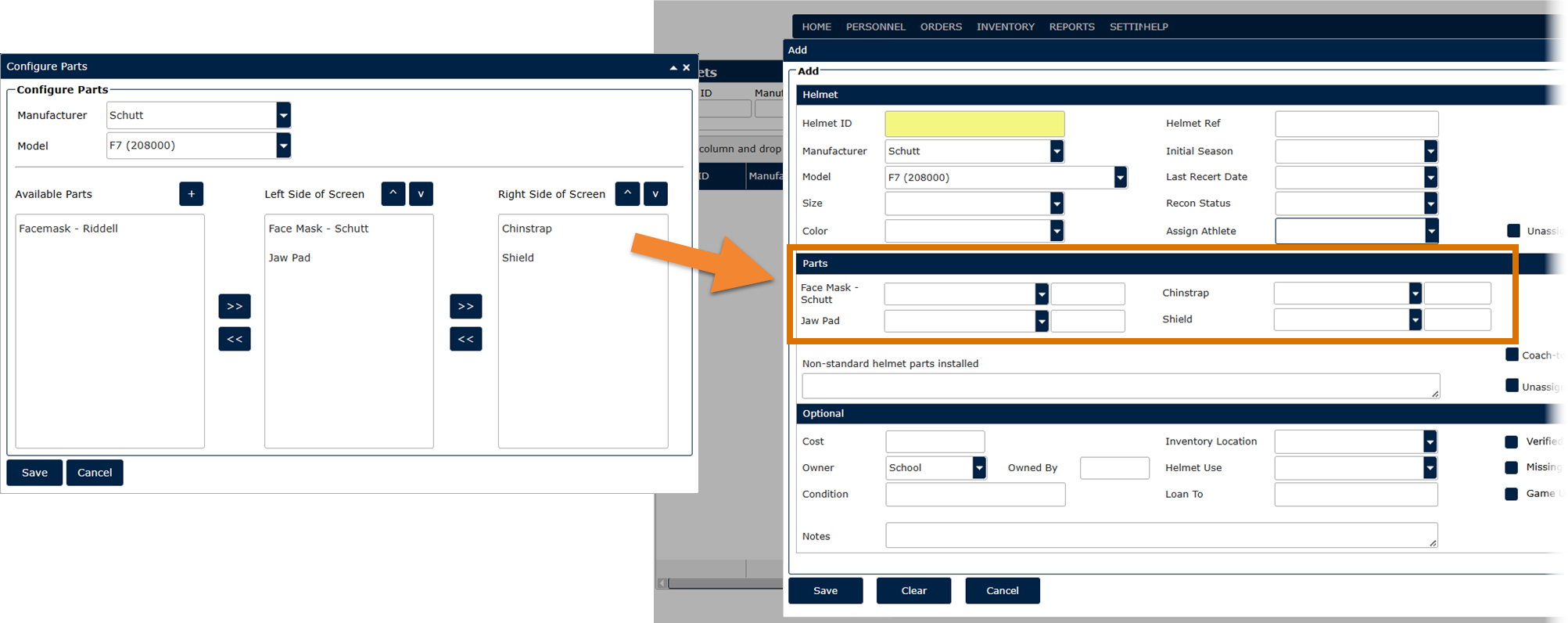
- From the Available Parts, highlight the helmet parts you want to appear on the helmet screen for the selected helmet model. Use the arrows or drag it to the side of the screen you want to see it displayed.
- Click Save to update the Parts section on the Helmet screen for the selected helmet model.