Customize Helmet Part Options
Add Helmet Part Options
Update Helmet Part Options
Configure Helmet Part Options
Add Helmet Part Options
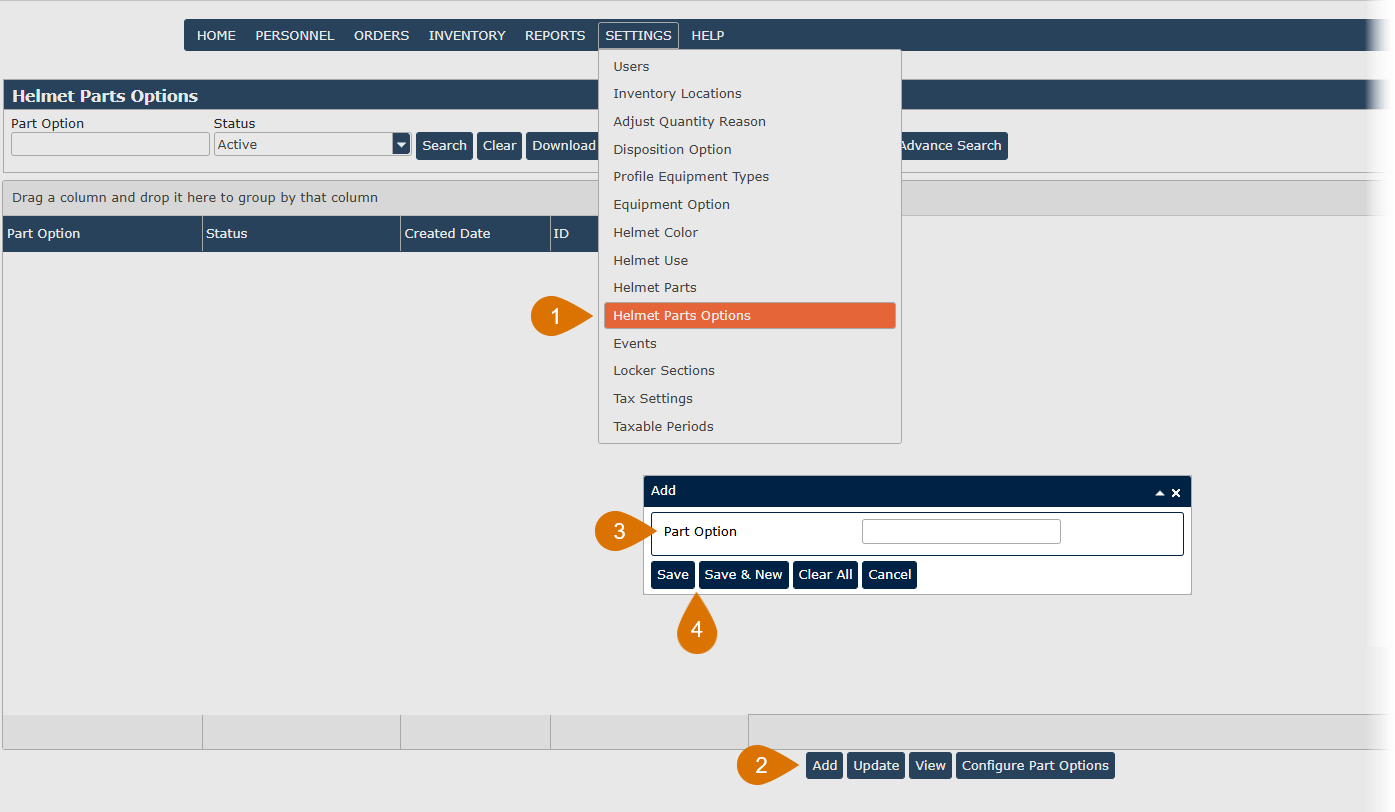
- Go to Settings and choose Helmet Part Options.
- Click the Add button.
- Enter a Part Option.
- Click Save or Save & New to add additional Part Options at this time.
Update Helmet Part Options
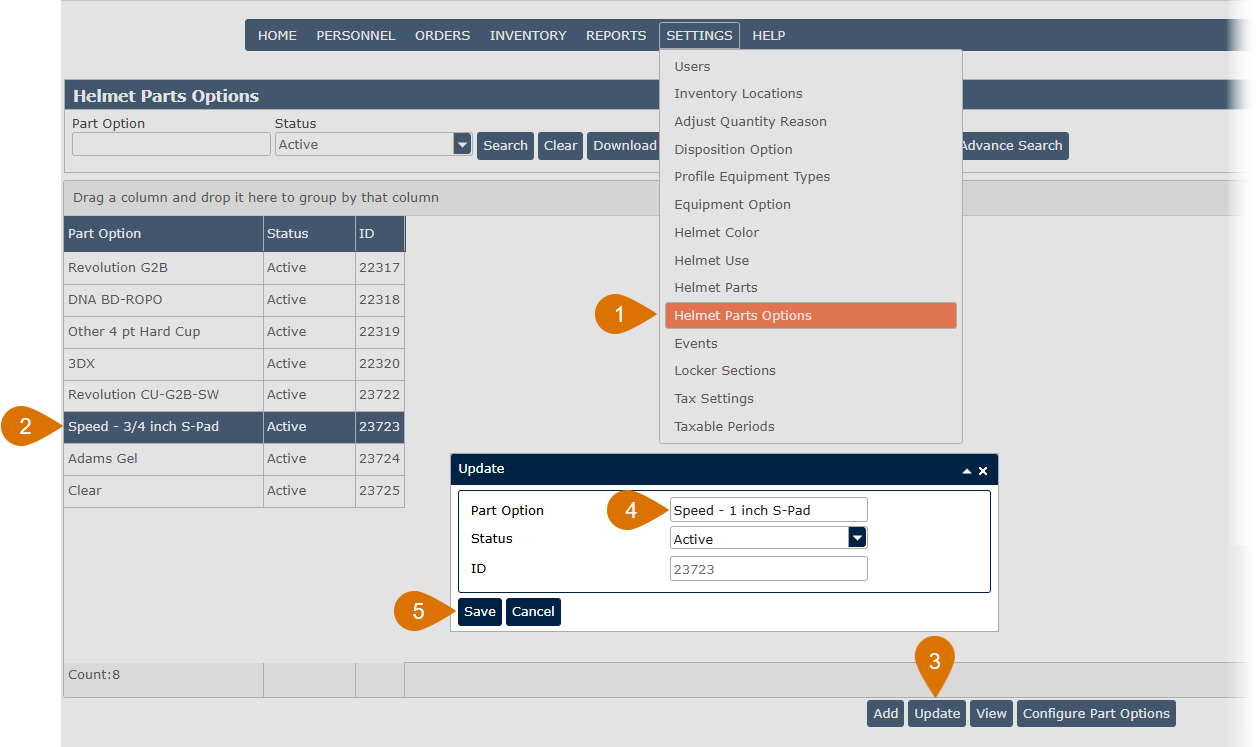
- Go to Settings and choose Helmet Part Options.
- Highlight a helmet part option record from the grid.
- Click the Update button or double-click on a helmet part option record.
- Update the Part Option.
- Click Save to update the Part Option in the system.
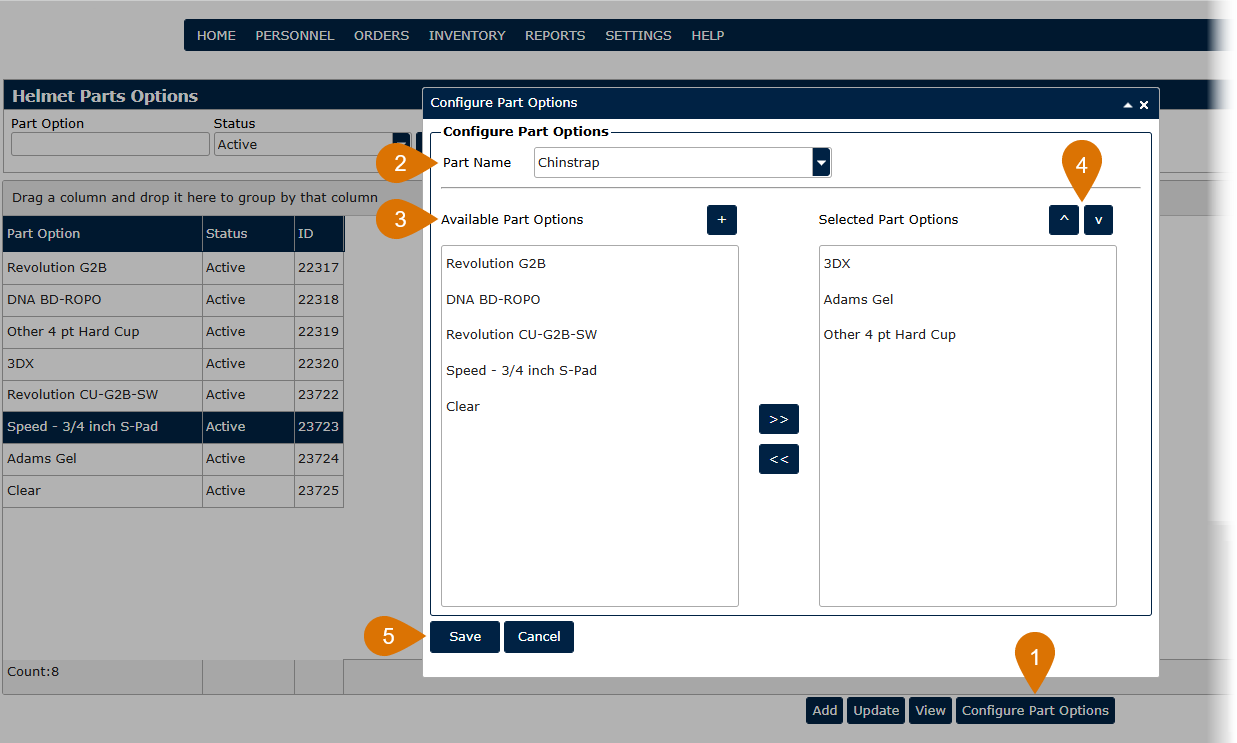
- From the Helmet Part Options screen, click on the Configure Part Options button.
- Choose a Part Name from the drop-down list.
- From the Available Part Options, highlight the part options you want available for the Part Name you selected. Use the arrows or drag it to the Select Part Options section.
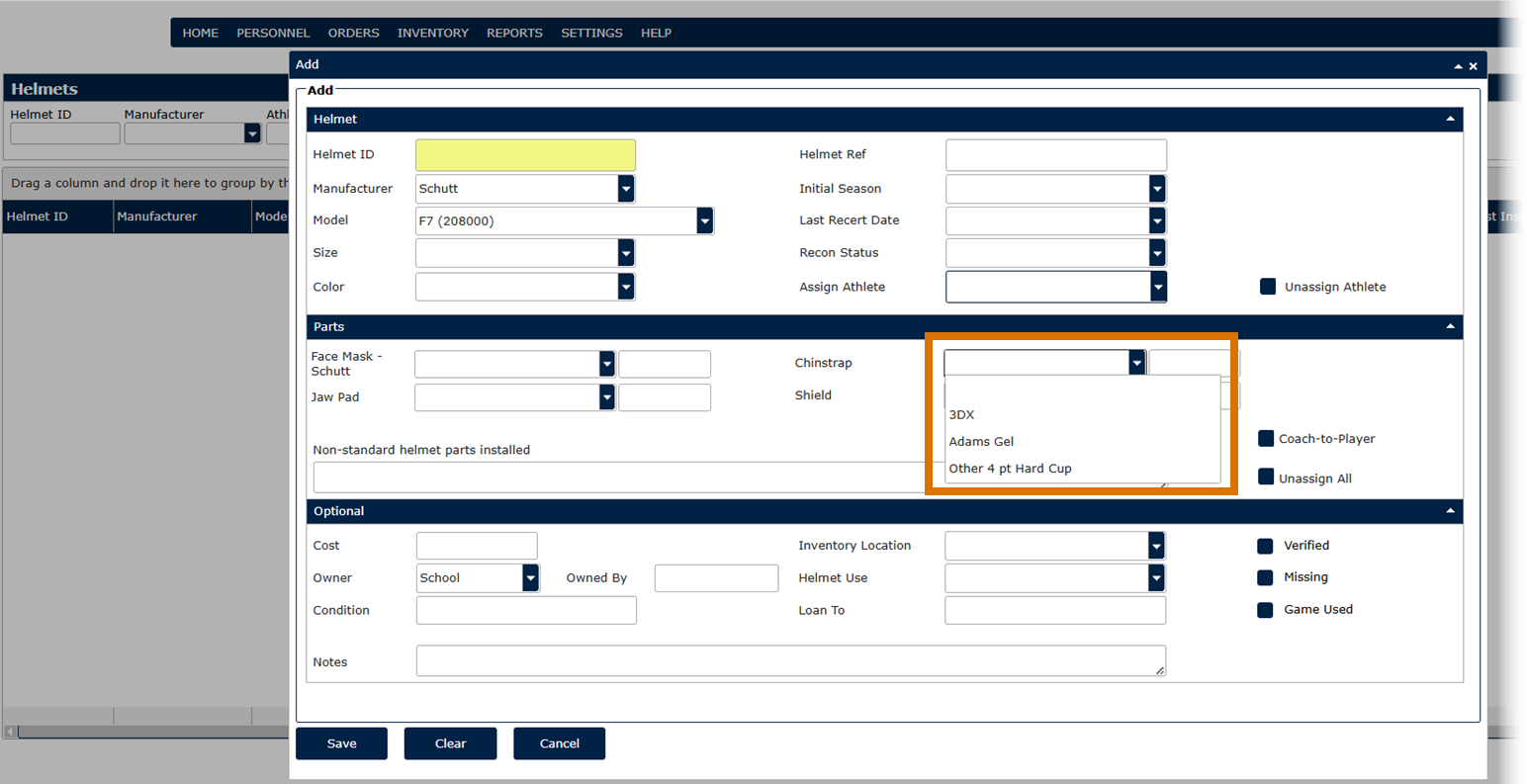
- Use the up and down arrows to put the Part Options in the order you would like to see them in the Part Options drop-down on the Helmet screen.
- Click Save to update the Part Options list for the selected Part Name.